Low-profile mechanical keyboards: a buying guide
A low-profile board promises a flatter desk and a laptop-like feel, but it also quietly opts a buyer out of most of the keycap and switch catalog they already know. Here's what actually changes, and how to tell if the trade is worth it.
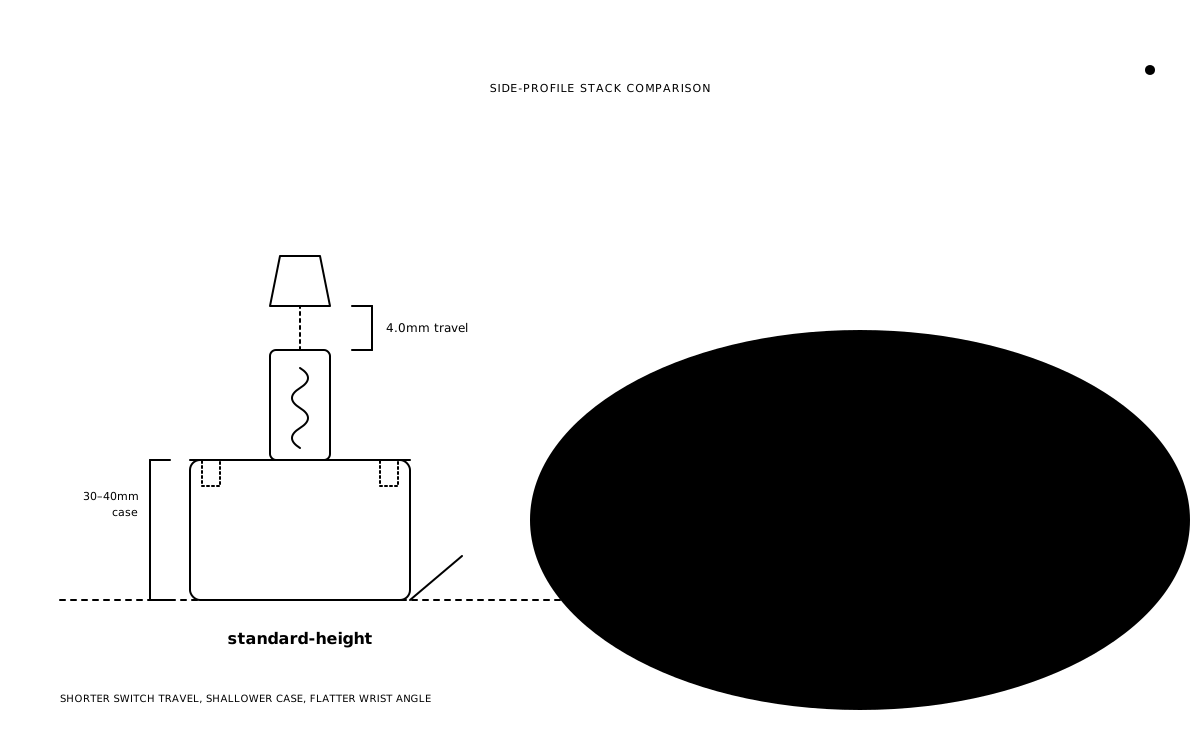
A standard mechanical keyboard case is tall enough to hide a phone charger inside it. A low-profile one is closer in height to the keyboard built into a laptop lid. That difference is the entire pitch — and it is a real one — but it comes bundled with a set of constraints that don't show up until after the board has already arrived.
What "low-profile" actually means
Two separate things get bundled under one label, and it's worth pulling them apart. The first is switch travel — how far the stem moves from resting position to bottom-out. A standard Cherry MX-style switch travels 4.0mm. A low-profile switch travels noticeably less: Cherry MX Low Profile specs 3.2mm of total travel (Deskthority), while Kailh Choc switches land around 3.0mm for the original version and anywhere from 2.8mm to 3.2mm for the second, depending on the specific model (Deskthority) (Keeb.io).
The second is case height — how tall the housing sitting under the switch is, independent of travel. A low-profile switch's housing is shorter too, which is what actually lets a case shrink from the roughly 30-40mm of a standard custom build down to something closer to 20mm or less. Both changes point the same direction: less finger movement per keystroke, and a shorter, flatter box underneath it.
Neither number is dramatic in isolation. A millimeter here, a millimeter there. But stacked across a whole hand's worth of keystrokes for hours a day, the shorter path changes how a press starts and ends — more on that below.
Two ecosystems, not one
Low-profile isn't a single standard. It's two stem families that don't share keycaps, and mostly don't share switches either.
Kailh Choc is the older of the two and the one that actually originated the category. The first version — Choc v1 — uses a proprietary two-prong stem that has nothing to do with the familiar MX cross. Standard MX-compatible keycaps simply do not sit on it; a Choc board needs Choc-specific caps, full stop. Choc v2 moved to an MX-style cross stem with a shorter skirt, which widened the keycap pool slightly, but v1 and v2 switches are not interchangeable with each other despite sharing a hot-swap footprint on some boards (Keeb.io). Choc is the switch family behind ZSA Voyager, which ships hot-swappable Choc v1 switches as standard (ZSA), and it shows up across several Keychron low-profile boards and a wide field of DIY split keyboards.
Cherry MX Low Profile (and the RGB variant that followed it) keeps the same cross-shaped stem as standard MX, which looks like a compatibility win on paper. It isn't, not cleanly. Cherry's own low-profile switches need low-profile keycaps specifically, because a standard-height cap would hit the top of the case before the switch finishes its shorter travel, or bind against the wider low-profile housing on the way down (Tom's Hardware). This family shows up in Corsair's low-profile boards and a subset of Keychron's catalog. Logitech complicates the picture further: its GL switches started as a tweaked, proprietary version of Choc v1 on the original G915, then moved to an MX-style cross stem on newer boards like the G515 — a change Logitech made specifically to improve third-party keycap compatibility, though genuinely matching low-profile sets are still thin on the ground even with the better stem (Tom's Hardware).
The practical read: knowing a board is "low-profile" tells a buyer almost nothing about which keycaps or replacement switches will actually fit it. The stem family is the thing that matters, and it has to be checked per board.
Why it exists
The case for low-profile is straightforward and genuinely good for the right desk. A shorter case and shorter travel add up to a flatter typing angle — closer to the angle of a laptop keyboard than a tall custom board — which means a lot of typists can skip a wrist rest entirely rather than needing one to avoid extension at the wrist. The reduced case height also means less board to carry: a low-profile 65% or 75% slides into a bag edge-on in a way a tall gasket-mounted custom build never will. And for anyone whose daily reference point is a laptop keyboard, the shorter travel reads as familiar rather than foreign on day one.
None of that is about sound or feel being "better." It's about fitting a mechanical keyboard into a physical footprint and a typing posture that a standard-height board doesn't fit into.
The real tradeoffs
Keycap compatibility is the hard constraint, not a soft inconvenience. This isn't a matter of taste the way profile choice is on a standard board — it's a hard mechanical limit. A Choc v1 board cannot take a Cherry-profile GMK set, or an MX-compatible anything, because the stem geometry is different in kind, not just in height. A Cherry MX Low Profile board can't take a standard-height Cherry-profile set either, even though the stem shape matches, because the cap would hit the case lid or the switch housing first. Buying into low-profile means buying into whichever family's keycap catalog comes with it — a catalog that is a fraction of the size of the standard MX keycap market.
Reduced travel changes the feel, and that change is not free for every typist. A shorter path from rest to bottom-out means less room to sense the actuation point coming, which is exactly the margin some touch typists lean on to avoid bottoming out every keystroke. Typists used to a full 4mm of travel sometimes report more mis-strikes in the first week on a 3.0-3.2mm switch, simply because the muscle memory for "how far is the bottom" has to be relearned at a shorter distance.
Hot-swap support is real but fragmented, not absent. Both Choc and Cherry MX Low Profile offer hot-swap sockets on some boards, but the socket footprints aren't shared across families, and within Choc, v1 and v2 switches aren't interchangeable even where a board's socket will physically accept either. A buyer can't assume hot-swap the way they might on a standard board — it has to be confirmed per listing, and so does which specific sub-family of switch that socket actually accepts.
The acoustic character tends to run thinner and sharper. Less material in the case, less travel in the switch, and a shorter column of air under a shorter keycap all point toward a brighter, lighter sound than a standard-height board with a deep case and tall keycaps. That isn't a flaw — some buyers prefer the crisper, quieter report — but it's a genuinely different sound signature than what the word "thock" usually describes in the standard-height half of the hobby.
Who it actually suits
Low-profile makes the most sense for a narrow, specific set of buyers: anyone optimizing for travel and portability over a full desk setup, anyone with a genuinely tight desk footprint where a tall case doesn't fit the available depth, and anyone who wants the flatter typing angle without adding a wrist rest to the setup. It's also a reasonable default for someone whose daily typing reference is already a laptop keyboard and who finds standard mechanical travel to feel unfamiliar rather than better.
It makes less sense for someone who already owns a keycap collection in a standard profile, or who is building toward being able to swap switches and caps freely across future boards — both of those habits assume the much larger standard MX catalog, and low-profile opts out of it by design.
A practical buying checklist
Confirm the stem type — Choc v1, Choc v2, or Cherry MX Low Profile — before buying a single keycap or switch. The three are not interchangeable, and a listing that just says "low-profile" is not specific enough to shop from. Next, check hot-swap support explicitly on the specific board being considered; don't assume it from the switch family alone, and don't assume a hot-swap socket on one low-profile board accepts the same switches as a hot-swap socket on another. Finally, weigh the actual tradeoff on the table: a flatter case and a laptop-like feel, against a keycap and switch catalog that is a fraction of the size of the standard MX market. For a lot of desks and a lot of typists, that trade is worth making. For a buyer who already has a standard-height keycap collection or plans to keep swapping switches across future boards, it usually isn't.
What to watch
The Choc v2 and newer Logitech GL moves toward MX-style cross stems are the clearest signal in the category: the stem shape is slowly converging even while the keycap catalogs mostly haven't caught up yet. The size of third-party low-profile keycap catalogs — rather than any single board release — is the number worth tracking, since that's the actual bottleneck standing between low-profile and a buying experience as flexible as the standard MX market already has.
Keep reading
- Guides
How to evaluate a group buy before you pay
A group buy asks for money today and a keyboard, keycap set, or switch run sometime next year. Here's how to read a listing, a vendor, and a timeline before that bet turns into a long, silent wait.
thock9 min read - Guides
Artisan keycaps: a practical buying guide
A single sculpted cap on the Escape key can cost more than the switches underneath it, and the buying process looks nothing like ordering a keycap set. Here is what an artisan actually is, how the raffles work, and the one check that keeps a buyer from winning a cap their board can't use.
thock9 min read - Guides
What a switch's gram number actually tells you before you buy
Every switch spec sheet carries two gram numbers — actuation and bottom-out — and treating them as one number is the most common mistake in a first switch purchase. Here's what each one measures, what ranges actually suit typing versus gaming, and why the same number can feel completely different depending on switch type.
thock8 min read - Guides
Wireless keyboard buying guide: Bluetooth, 2.4GHz, and the latency that actually matters
"Wireless" on a spec sheet hides three different radios with three different latency numbers, battery habits, and ways to lose the thing. Here's how to pick the one that matches an actual desk instead of a marketing slide.
thock9 min read