Keyboard layout sizes, compared: 60% to full-size, which fits your desk
60%, 65%, 75%, TKL, full-size — the names read like a settled taxonomy, but each cut trades away a specific cluster of keys for a specific amount of desk space. Here's what a reader actually keeps and gives up at each size, and how a firmware layer changes the math.
Every custom-keyboard listing leads with a percentage before it leads with anything else — switch type, hot-swap, mount style, all of it comes after "65%" or "TKL" in the title. That ordering isn't an accident. Size is the one spec that can't be changed after the board arrives, and it's the spec that decides which of a reader's keys live under a finger and which ones move to a layer.
This is a buying decision, not a history lesson — for how the 60%/65%/75%/TKL family actually got its shared tooling, see how the 60% became the default custom-keyboard layout. Here, the question is narrower and more practical: given a specific desk and a specific way of working, which size is the right one to order.
The five sizes, and what each one removes
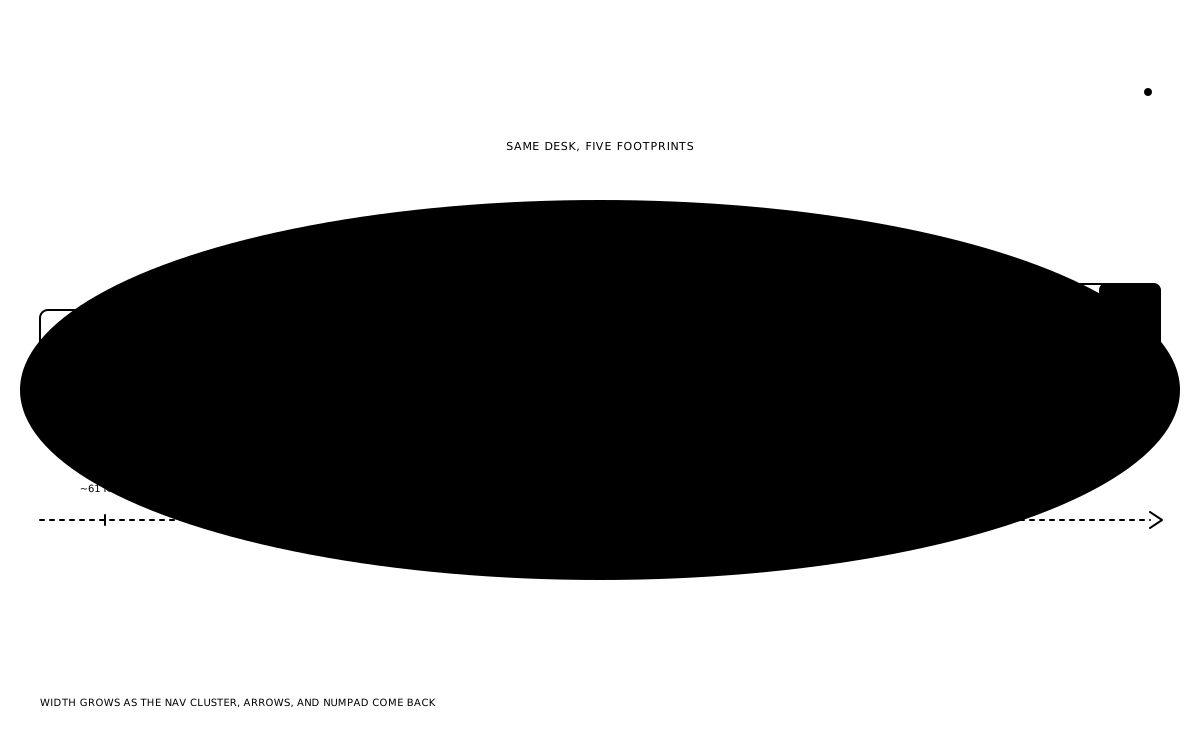
Every size below full-size is defined by what it subtracts, not what it adds. A full-size board runs roughly 104 keys — the alpha block, a function row, a navigation cluster (Insert, Home, Page Up/Down, Delete, End), a dedicated arrow cluster, and a full numeric keypad. Everything smaller is that board with one or more of those blocks removed (Switch and Click's keyboard-size breakdown).
TKL removes only the numpad, landing around 87 keys. Function row, nav cluster, and arrows all stay put — it's the oldest cut of the five and the one that changes the least about how the hands work.
75% removes the numpad and compresses the function row, nav cluster, and arrows into a tighter right-hand column, typically landing in the low-to-mid 80s for key count. Nothing is gone, but almost everything on the right edge is rearranged and pushed closer together.
65% removes the function row entirely, along with most of the navigation cluster, keeping only the arrow cluster and a couple of nav keys — commonly Delete and Home/End or Page Up/Down — squeezed into a narrow right-side column. That lands around 66–68 keys.
60% removes the function row, the full navigation cluster, and the arrow cluster, leaving only the alpha block and modifiers — around 61 keys. Everything else is reached through a firmware layer instead of a dedicated key.
Nothing is destroyed at any of these sizes. What changes is whether a key is under a finger by default or reachable only after a layer press — which is the actual subject of the next section, because it's the detail that makes 65% and 60% viable for people who'd never accept losing those keys outright.
What a firmware layer buys back
A 60% board without a programmable layer is missing keys a full-size board has. A 60% board running QMK or VIA has those same keys one layer press away — usually held on a Fn key or a dedicated momentary-layer key, remapping the number row to F1–F12, or IJKL (or similar) to arrows, or a corner of the alpha block to Home/End/Page Up/Down. The physical key count didn't change. What changed is where the second function of a key lives.
This is the piece that separates "60% is unusable for real work" from "60% is fine once it's configured," and it's also the piece that's easy to undersell in a spec sheet, because a layer only shows up once the board is flashed and the reader has actually built the muscle memory for it. VIA and its open-source successor VIAL make defining that layer a GUI exercise rather than a recompile, which is most of why 60%/65% boards stopped being a solder-and-suffer niche and became a mainstream configurator option.
The tradeoff a layer doesn't remove is cognitive: a function-row press on a 60% is two keys and a half-second of lookup instead of one key and no lookup, every single time, for as long as the board is in use. That cost is real and it's exactly why the calculus differs so much by workflow — which is the next question.
Matching the size to the actual workflow
Programmers lean on the function row for debugger keys, terminal shortcuts, and IDE bindings more than almost any other user group, and they also live in Ctrl/Alt/arrow combinations for code navigation. That combination makes 75% or TKL the more defensible default — the function row stays a dedicated key, and a layer is a nice-to-have rather than a requirement. A programmer who's already fluent in a heavily-layered editor (Vim-style modal navigation, for instance) is the exception that makes 65% or even 60% work well, because the layer-press habit is one they've already built somewhere else.
Gamers care less about the function row and more about arrow-key and WASD-adjacent access without reaching past a nav cluster, plus the desk space to swing a mouse without bumping a numpad. 65% or TKL both serve that well; 60% loses dedicated arrows, which matters for anything that isn't purely WASD-bound (fighting games, some MOBA UI, browser-based play). A gamer who plays exclusively WASD titles is the one profile where 60%'s missing arrow cluster costs almost nothing.
Spreadsheet-heavy work — finance, data entry, anything numpad-dependent — is the one workflow that actively argues against every size on this list except full-size. A layer can fake a function row convincingly. A layer faking a full numpad, entered one digit at a time through Fn combinations, is slower than just having the numpad, full stop. Readers who genuinely touch-type numbers all day are shopping for full-size or a TKL-plus-separate-numpad combo, not a compact layout at all.
Minimalists and travel-focused buyers are the group 60% and 65% were built for. Less board width means more usable desk in a small apartment or a shared coworking space, a shorter case to fit in a backpack sleeve, and — for a reader who's already comfortable configuring a layer — no functional loss that a week of muscle memory doesn't close.
Desk space and the mouse question
The desk-space argument for going smaller is straightforward and usually understated rather than overstated: every cluster removed is real width given back, and for a right-handed mouse user specifically, a numpad is the single biggest obstacle between the alpha block and a comfortable mouse position. That's the entire reason TKL existed before the custom scene did — it kept every cluster a full-size board has except the one blocking the mouse.
Past TKL, the space savings get smaller in absolute terms but the desk-clearing effect compounds, because 75%, 65%, and 60% also tighten the right-hand edge itself, not just remove the numpad. A reader on a genuinely small desk, or one running a keyboard tray, feels that difference more than a reader with a wide desk feels the loss of a function row.
How to actually choose
For a reader without a strong existing opinion, 75% or 65% are the sane defaults, not the extremes. Full-size only wins for numpad-dependent work; 60% only wins once layer fluency is already a given, either from a prior board or from something like Vim. Everything in between is a genuine tradeoff between how much stays under a dedicated finger and how much desk comes back.
The one rule worth holding onto through all of it: a layer can recover a missing key's function, but it can't recover the zero-lookup speed of a dedicated one. Buy the smallest size that doesn't ask for that recovery on the keys used constantly, and let the layer absorb the ones used occasionally.
What to watch for next
The market's own default has already moved once inside this five-size range — 75% overtook 65% as the configurator default through 2026, covered separately in how 75 percent became the default custom layout — which is itself evidence that "smallest possible" was never actually the goal for most buyers. The goal was the smallest size that didn't cost them a key they use constantly, and the market answer to that question keeps drifting toward slightly larger, not slightly smaller. Split and ergonomic layouts solve the same desk-space problem from a completely different angle — worth a separate look in the split and ergonomic buyer's guide — but for a single monoblock case, the five sizes above remain the full menu, and the honest advice is still to size to the workflow first and the desk second.
Keep reading
- Deep Dives
How the 60% became the default custom-keyboard layout
Every custom-keyboard buyer's guide since the mid-2010s opens with the same four-term vocabulary — 60%, 65%, 75%, TKL — as though it always existed. It didn't. One open-source PCB out of a geekhack thread is most of the reason that taxonomy exists at all.
thock11 min read - Guides
ANSI, ISO, or JIS: a practical layout buying guide
Two boards can look nearly identical in a listing photo and still take entirely different keycap sets. Here's how to read Enter key shape, bottom-row widths, and spec-sheet shorthand before ordering — not after a set arrives that doesn't fit.
thock9 min read - Trends
How 75 percent became the default custom layout
Two years ago a custom-board recommendation defaulted to 65% with a polite note about 75% as the next step up. The KBD75 v3's staying power as a default recommendation, the QK75, and a crowded mid-tier have flipped that order. 75% is now the layout customs reach for first.
thock5 min read - Guides
Artisan keycaps: a practical buying guide
A single sculpted cap on the Escape key can cost more than the switches underneath it, and the buying process looks nothing like ordering a keycap set. Here is what an artisan actually is, how the raffles work, and the one check that keeps a buyer from winning a cap their board can't use.
thock9 min read